Print files
A4 Print Size in Pixels at 300 DPI
A4 is 210×297 mm, which is 2480×3508 pixels at 300 DPI. Crop to true ISO A4 — don't stretch a US 8×10 or Letter file to fit European paper.
Direct answer
A4 at 300 DPI is 2480×3508 pixels in portrait. To get there, divide the millimetres by 25.4 to reach inches, then multiply by 300: 210 mm → 2480 px, 297 mm → 3508 px. Landscape A4 flips to 3508×2480. Never stretch an 8×10 (2400×3000) or a US Letter crop to fill an A4 order — export A4 as its own size, in millimetres, from the start.
If your Etsy shop ships to the UK, EU, or Australia, A4 orders will show up even when every listing photo shows an 8×10 frame. Prepare only US sizes, and the print partner has to choose: crop your file to fit, or pad it with white space. Either way, you're heading for a "not as pictured" review.
A4, A3, and A5 all share one shape — the ISO 216 ratio, close to 1:√2. US paper doesn't. So treat A4 as its own size with its own crop, the same way you'd treat 8×10 as its own thing.
- 1
Enter 210 × 297 mm
Don't reuse an 8×10 or Letter crop.
- 2
Crop around the subject
ISO A4 is taller than 4:5 — check heads and signatures.
- 3
Resize to 2480 × 3508
Or the exact pixels your shop's template calls for.
- 4
Save at 300 DPI
JPG for photos, PNG for type, sRGB unless told otherwise.
Converting millimetres to pixels
The formula is simple: millimetres ÷ 25.4 × 300. For A4 that's 210 ÷ 25.4 × 300 ≈ 2480 px wide, and 297 ÷ 25.4 × 300 ≈ 3508 px tall. That's the number most print shops expect for a full-bleed A4 at 300 DPI, though some templates round slightly differently — to 2490×3510, say. When a partner gives you a template, use their number over any blog table, including this one.
Because every ISO A size shares the same ratio, you can scale one down to make another honestly — an A3 file scaled down reads as a true A4. That's not something you can do with US sizes; scaling a 16×20 down to 12×18 changes the shape, not just the size.
A5
A4 · 2480×3508 px
A3
| Size | Millimetres | Pixels at 300 DPI |
|---|---|---|
| A5 | 148 × 210 | 1748 × 2480 |
| A4 | 210 × 297 | 2480 × 3508 |
| A3 | 297 × 420 | 3508 × 4961 |
| A2 | 420 × 594 | 4961 × 7016 |
Why A4 isn't 8×10 or US Letter
8×10 inches works out to 203×254 mm, a 4:5 ratio. A4 is 210×297 mm. US Letter is 8.5×11 in, or 2550×3300 px at 300 DPI. None of the three match. Force a US crop into an A4 frame and heads stretch long. Add white borders instead, and buyers get paper they never ordered.
Selling to both markets? Keep one focal point on the original, then export 8×10 and A4 as two separate custom ratios. That's the whole trick to skipping a second Photoshop session for every painting.
Bleed, printers, and home A4
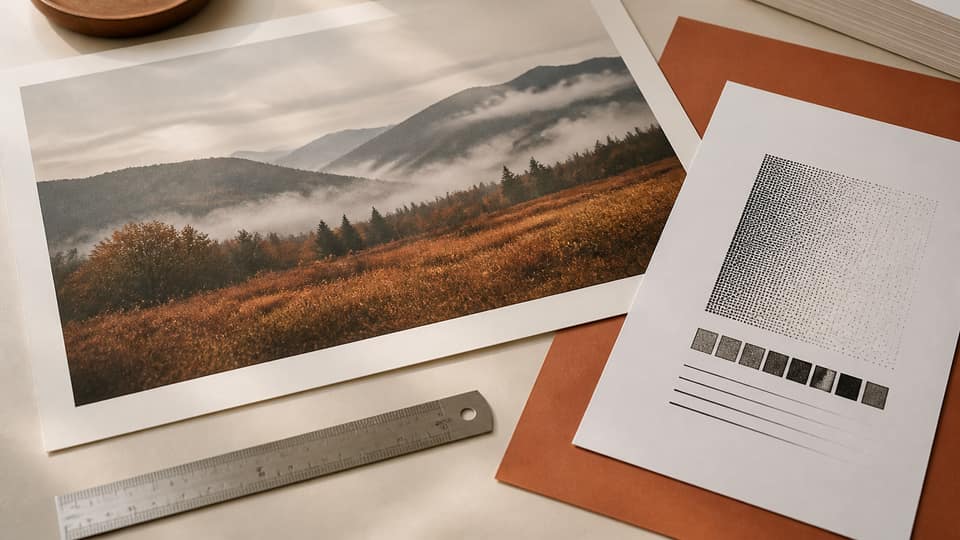
Home inkjets set to "fit to page" shrink your art to leave room for a hardware margin. For a true edge-to-edge A4, choose a shop that prints full bleed, or add bleed yourself if their template calls for it — often 3 mm. That nudges the pixel count up slightly, so follow the shop's template rather than a generic table.
Printing at "100%" from a 72 DPI screenshot is exactly how A4 photos end up the size of a stamp on the page. Build the file at 2480×3508 pixels and 300 DPI first, then print at 100% or "actual size" — not "fit."
Exporting A4 from Reopic
Open Studio and add a custom ratio of 210 × 297 mm (swap the numbers for landscape). Export Artwork, and the ZIP folder is named with those millimetres — so you can tell at a glance it isn't an 8×10. Free gives you three custom ratios a day, enough to cover A4, A3, and 8×10 from one image. Pro is a one-time $33.
Worked example: a US listing that also ships to the UK
Say you sell 8×10 prints in the US and start taking UK orders. From the same pin, export 2400×3000 for 8×10 and 2480×3508 for A4. The A4 crop runs taller, so expect more floor or sky in the frame — and double-check the signature doesn't get chopped. If A4 reveals a messy studio edge, either clone it out or sell A4 as a matted SKU instead.
In your Etsy variation, label the options clearly: "8×10 in (US frame)" and "A4 (210×297 mm)" — don't let buyers assume they're interchangeable. Upload the matching production file to your printer for each one. A single 8×10 JPEG forced into an A4 slot is exactly how stretched faces end up in EU reviews.
Home printers and "fit to page"
Buyers of digital A4 files often print from Preview or Windows Photos with "fit" turned on. That shrinks a correctly-sized 2480×3508 file to leave room for the printer's unprintable margin — and then they complain the print came out small. Add a line to your listing: print at 100% / actual size on A4, or use borderless printing if the hardware supports it.
If you sell a physical A4 print, you control the press, so this is on you. If you sell a digital download, you control the instructions instead. Either way, the file itself needs to be the real A4 pixel box — not a US Letter JPEG with the label changed.
Want to offer A3 as well? You can scale an A4 crop up only if the original still has 3508 pixels on the short side after cropping. Otherwise, export A3 straight from the original using the same pin — the ISO ratios line up, but you still need the pixels to back it up. A3 at 300 DPI is 3508×4961. A phone photo that barely covers A4 won't hold up at A3.
FAQ: A4 print size pixels 300 DPI
How many pixels is A4 at 300 DPI?+
2480×3508 pixels in portrait (210×297 mm), or 3508×2480 in landscape.
Is A4 the same as 8x10?+
No. 8×10 is a 4:5 ratio, while A4 follows ISO 216 (about 1:1.414). You need two separate crops.
How many pixels is A4 at 150 DPI?+
About 1240×1754 pixels. Only use 150 DPI when a fabric or large-format template specifically asks for it.
What about A4 with bleed?+
Add whatever extra millimetres the shop lists (often 3 mm per side), then multiply the new total by 300. Don't guess — pull the number from their downloadable template.