Print files
How to Turn an Instagram Photo into a 300 DPI Print
Instagram downloads are already compressed, usually around 1080 pixels wide — good for a 3.6-inch print at 300 DPI. For 8×10 or bigger, use the camera original.
Direct answer
A typical Instagram download can't honestly become a sharp 8×10 at 300 DPI. Instagram commonly delivers around 1080 pixels on the long side, which works out to only 3.6 inches at 300 DPI. To print larger, track down the camera original, crop it to your frame's ratio, and export at width-in-inches × 300 by height-in-inches × 300. Save the Instagram file itself for tiny gifts or quick proofs.
Clients send over 'the one from the grid.' It looks great on an OLED screen. On paper, it's basically a thumbnail. The fix isn't an AI enlarge button — it's going back to the original.
If you're the photographer, stop treating Instagram as your archive. If you're the print seller, put a minimum pixel requirement right in the listing, so a WhatsApp screenshot never makes it into production.
- 1
Open the file's properties
Read the width and height in pixels, not inches.
- 2
Divide the short side by 300
That's your maximum sharp print size in inches.
- 3
Prefer the camera original
Instagram is a preview, not an archive.
- 4
Crop, then export
Tag 300 DPI on a file that already has the pixels to support it.
What Instagram actually gives you
Feed photos commonly land around 1080 pixels wide. Some carousel posts or newer export formats can be larger, but don't bet a 16×20 listing on it — open the file and check the actual pixel dimensions. Divide the short side by 300 to get the honest maximum print width, in inches.
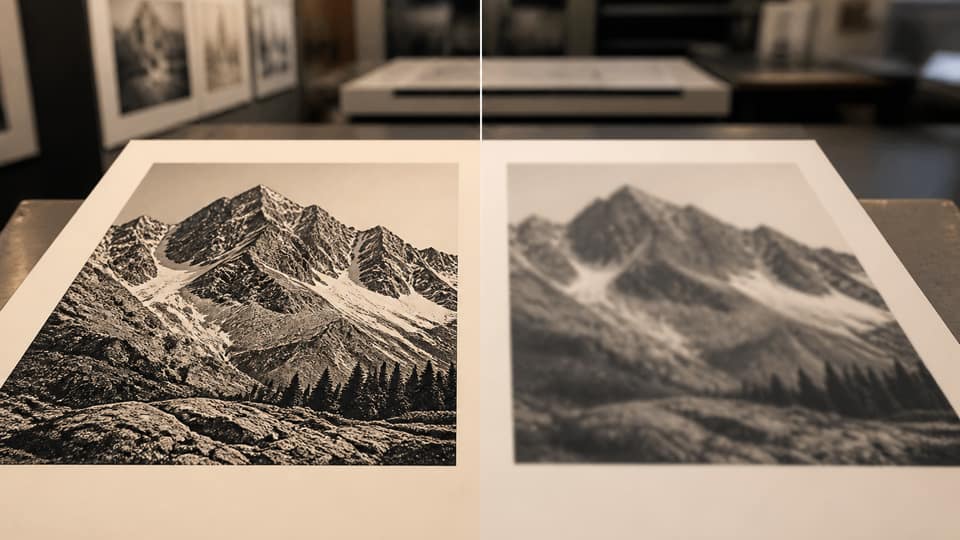
Compression artifacts — blocky skies, muddy type — print darker and more obvious than they look on a phone screen. A high-quality JPG straight from the camera will always beat a downloaded Instagram file.
| Print size | Needed short side | 1080 px file |
|---|---|---|
| 4 × 6 in | 1200 px | Slightly short |
| 5 × 7 in | 1500 px | Too small |
| 8 × 10 in | 2400 px | Far too small |
| 3.6 in wide proof | 1080 px | Matches |
If you still have the original
Skip the Instagram file entirely. Crop the original using the focal-point method, export it at your listing size from Studio, and match JPG vs PNG to whatever your print shop wants.
If the original is gone
Sell a small size only, or a digital file capped at a specific max inch size. Don't list it as 12×18. AI upscalers invent texture that looks worse on luster paper than an honest, slightly smaller print ever would.
If a buyer pushes for something larger, one sentence usually explains it: pixels ÷ 300 = the maximum sharp inches. Offer to refund the size upgrade — not a file that doesn't exist.
Square, 4:5, and Story crops aren't interchangeable
Instagram's square format is 1:1. 4:5 portrait posts land close to 8×10. Stories are 9:16 — a poor poster crop by any measure. If a Story screenshot is all you've got, you don't have a 2:3 landscape poster. You have a phone screen.
FAQ: Instagram photo to print 300 DPI
Can I print an Instagram photo at 8x10?+
Not sharply, from a typical 1080 px download. Use the original camera file instead.
Does downloading from Instagram keep the EXIF DPI tag?+
Often not, and it wouldn't matter anyway. Pixel count determines quality — the DPI tag is just a label.
What size can I print from 1080 pixels?+
About 3.6 inches on that side at true 300 DPI, or a larger print that will visibly look soft.
Should I upscale Instagram photos with AI before printing?+
Not for paid art prints. Texture hallucination shows up clearly on paper — sell a smaller, honest size instead.